

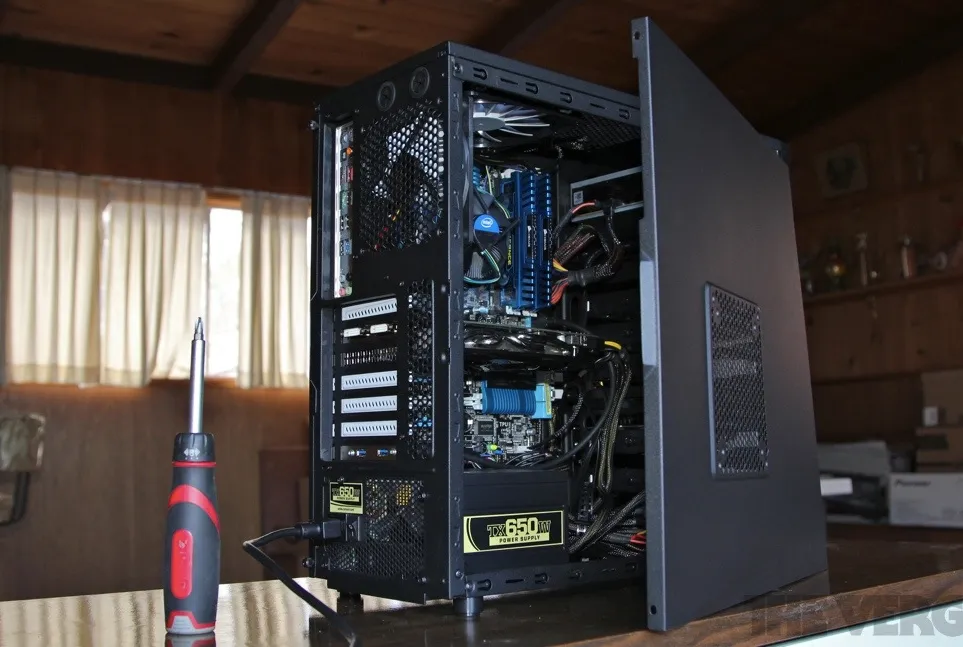
Building a gaming PC under $1000 is one of the smartest ways to get high performance without overspending. Instead of paying extra for prebuilt systems, you can carefully select components that deliver excellent frame rates, smooth gameplay, and future upgrade potential. Whether you want to play competitive esports titles or modern AAA games, this guide will walk you through everything you need to know to build a powerful and balanced gaming PC on a budget.
Why Build a Gaming PC Instead of Buying One?
Building your own gaming PC gives you full control over performance, quality, and cost. Prebuilt systems often include weak power supplies, limited cooling, or outdated components. When you build your own system, every dollar goes toward performance where it matters most.
Additional benefits include:
- Better gaming performance per dollar
- Easier upgrades in the future
- Higher quality components
- A deeper understanding of how your PC works
Budget Planning for a $1000 Gaming PC
Before buying parts, it’s important to plan your budget wisely. The graphics card and processor should take the largest share, while still leaving room for reliable storage, cooling, and power delivery. Just like Choosing the Right ERP for Your Business, selecting PC components requires balancing current needs with long-term scalability.
Recommended Gaming PC Build Under $1000
The table below outlines a well-balanced component selection that fits within the $1000 budget while delivering strong gaming performance.
| Component | Recommended Option | Estimated Budget |
|---|---|---|
| CPU | AMD Ryzen 5 5600 or Intel Core i5-12400F | $150–$180 |
| GPU | NVIDIA RTX 3060 or AMD RX 6700 XT | $300–$350 |
| Motherboard | B550 (AMD) or B660 (Intel) | $100–$120 |
| RAM | 16GB DDR4 (2x8GB, 3200MHz) | $50–$70 |
| Storage | 1TB NVMe SSD | $60–$80 |
| Power Supply | 650W 80+ Bronze or Gold | $70–$90 |
| Case | Mid-Tower with Good Airflow | $50–$70 |
| CPU Cooler | Stock or Budget Air Cooler | $0–$30 |
Total Estimated Cost: $900–$1000
Step-by-Step Guide to Building Your Gaming PC
Step 1: Install the CPU
Place the processor into the motherboard socket carefully, aligning the markings. Lock it into place without applying pressure.
Step 2: Install RAM
Insert the RAM sticks into the correct slots (usually slots 2 and 4) to enable dual-channel memory for better performance.
Step 3: Mount the CPU Cooler
If using a stock cooler, apply thermal paste if it’s not pre-applied, then secure the cooler evenly to avoid overheating.
Step 4: Install the Motherboard into the Case
Secure the motherboard with standoffs and screws, ensuring all ports align with the I/O shield.
Step 5: Add Storage
Install the NVMe SSD directly onto the motherboard for faster load times and smoother gameplay.
Step 6: Install the Power Supply
Mount the power supply in the case and route cables neatly to improve airflow and appearance.
Step 7: Install the Graphics Card
Insert the GPU into the top PCIe slot and secure it firmly. This component has the biggest impact on gaming performance.
Step 8: Cable Management and First Boot
Connect all cables, double-check connections, and power on the system to install your operating system and drivers.
Gaming Performance You Can Expect
A $1000 gaming PC can comfortably handle:
- 1080p ultra settings in most modern games
- 1440p high settings in many titles
- High refresh rate esports gaming (144Hz+)
With technologies like DLSS and FSR, performance can be pushed even further without sacrificing visual quality.
Upgrade Path and Future Proofing
One of the biggest advantages of building your own gaming PC is easy upgrading. In the future, you can:
- Add more RAM
- Upgrade to a faster GPU
- Expand storage
- Improve cooling
Choosing a quality power supply and motherboard ensures your system stays relevant for years.
Common Mistakes to Avoid
- Overspending on aesthetics instead of performance
- Buying a low-quality power supply
- Ignoring airflow and cooling
- Pairing a powerful GPU with a weak CPU
- Not checking component compatibility
FAQs
Is $1000 enough to build a good gaming PC?
Yes, $1000 is enough to build a powerful gaming PC capable of running modern games at high settings with excellent performance.
Should I prioritize the GPU or CPU?
For gaming, the GPU should take priority, but the CPU must be strong enough to avoid bottlenecks.
Can I build a gaming PC under $1000 without a graphics card?
While possible using integrated graphics, a dedicated GPU is strongly recommended for serious gaming.
Is building a PC difficult for beginners?
No, with careful instructions and patience, beginners can successfully build a gaming PC in a few hours.
How long will a $1000 gaming PC last?
With proper upgrades, a well-built $1000 gaming PC can last 4–6 years for gaming.
Final Thoughts
Building a gaming PC under $1000 is an excellent investment for gamers who want high performance, customization, and long-term value. By choosing the right components, balancing your budget, and following proper assembly steps, you can create a system that outperforms many prebuilt alternatives. With smart planning and future upgrades in mind, your budget gaming PC will deliver smooth, immersive gaming experiences for years to come.


