

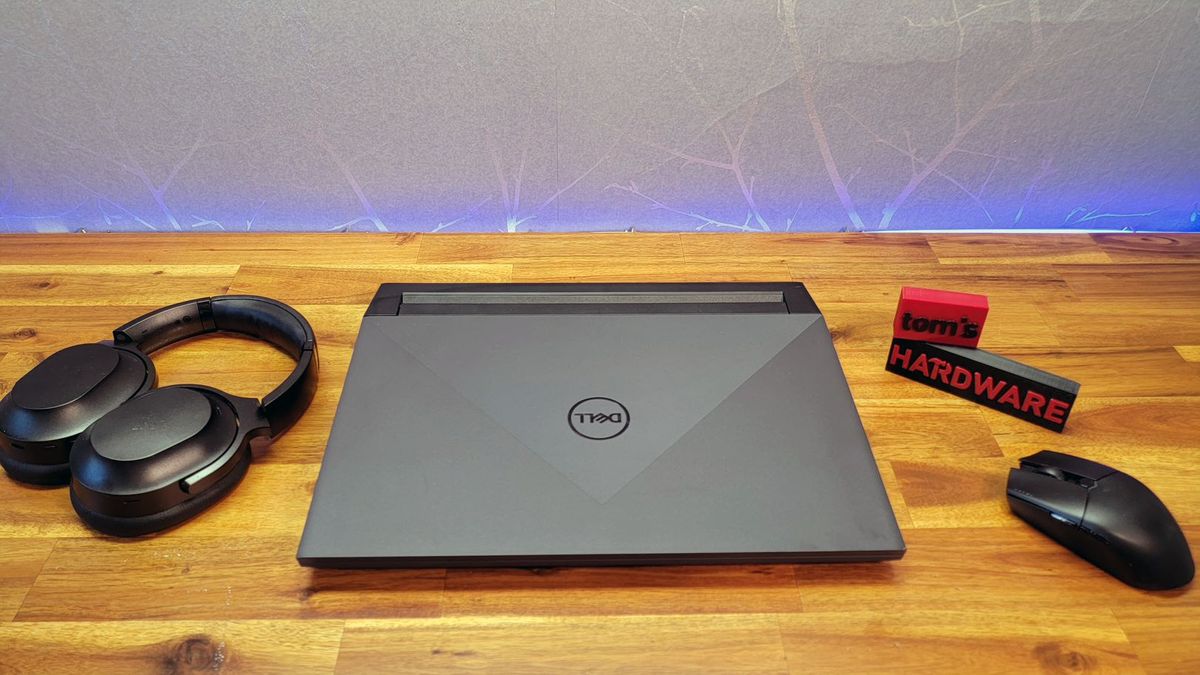
Finding a reliable and efficient coding laptop under $1000 is achievable with careful consideration of performance, portability, and features. Whether you are a student, beginner developer, or professional programmer on a budget, selecting a laptop that can handle modern programming environments and multitasking is essential. Key aspects include processor speed, memory, storage, display quality, and keyboard comfort.
This guide explores the best coding laptops under $1000, essential specifications to prioritize, and tips for choosing the ideal device for your programming needs.
What to Look for in a Coding Laptop
1. Processor (CPU)
A multi-core processor ensures smooth performance while compiling code, running development environments, and multitasking. Intel Core i5/i7 or AMD Ryzen 5/7 processors are excellent choices under this budget.
2. Memory (RAM)
8GB RAM is the minimum recommended for coding, but 16GB is better for running virtual machines, compiling large projects, or working with advanced frameworks like machine learning.
3. Storage
Solid State Drives (SSDs) significantly improve boot times, file access, and overall responsiveness. A minimum of 256GB SSD is recommended, while 512GB is preferable for larger projects.
4. Display
A full HD (1920×1080) display reduces eye strain and allows for multiple windows and IDEs to be visible at once. Anti-glare or matte displays are ideal for long coding sessions.
5. Keyboard and Trackpad
Comfortable, responsive, and backlit keyboards are essential for typing-intensive tasks, especially for late-night coding.
6. Portability
Lightweight laptops with long battery life are ideal for developers who work remotely or travel frequently.
Top Coding Laptops Under $1000
1. Acer Swift 3
Acer Swift 3 offers a lightweight design, long battery life, and strong performance with AMD Ryzen 7 or Intel Core i5, making it an excellent budget option for coding.
2. Lenovo IdeaPad Flex 5
A 2-in-1 laptop with AMD Ryzen 5, 16GB RAM, and a responsive keyboard, Lenovo IdeaPad Flex 5 is ideal for coding and light multitasking.
3. HP Pavilion 15
HP Pavilion 15 features Intel Core i5, fast SSD storage, and a comfortable keyboard, suitable for software development and everyday computing.
4. ASUS VivoBook 15
ASUS VivoBook 15 combines a full HD display, SSD storage, and solid build quality, delivering reliable coding performance under $1000.
5. Dell Inspiron 15 5000
Dell Inspiron 15 5000 balances affordability and performance with Intel Core i5, 8–16GB RAM, and a responsive keyboard, making it a strong choice for programmers.
Comparison Table: Best Coding Laptops Under $1000
| Laptop | Processor | RAM | Storage | Display | Battery Life | Price Range |
|---|---|---|---|---|---|---|
| Acer Swift 3 | AMD Ryzen 7 / Intel i5 | 8–16GB | 512GB SSD | 14″ FHD | Up to 11 hrs | $700–900 |
| Lenovo IdeaPad Flex 5 | AMD Ryzen 5 | 16GB | 512GB SSD | 14″ FHD | Up to 10 hrs | $650–800 |
| HP Pavilion 15 | Intel Core i5 | 8–16GB | 256–512GB SSD | 15.6″ FHD | Up to 8 hrs | $600–800 |
| ASUS VivoBook 15 | Intel Core i5 / Ryzen 5 | 8GB | 512GB SSD | 15.6″ FHD | Up to 9 hrs | $550–750 |
| Dell Inspiron 15 5000 | Intel Core i5 | 8–16GB | 256–512GB SSD | 15.6″ FHD | Up to 10 hrs | $600–900 |
Tips for Choosing the Right Coding Laptop
- Plan for Future Needs
Opt for higher RAM or storage if you intend to work on projects involving virtual machines, full-stack development, or even machine learning. - Keyboard Comfort is Key
Since coding involves long typing sessions, a tactile and backlit keyboard is essential for productivity. - Prioritize SSD Storage
SSDs drastically improve system responsiveness, which is critical when compiling large projects or running development environments. - Portability and Battery Life
A lightweight laptop with long battery life ensures uninterrupted coding, especially when working remotely or commuting. - Operating System Compatibility
Ensure your laptop’s OS supports your preferred development tools. Windows, macOS, and Linux all have their advantages depending on your workflow.
Frequently Asked Questions
Can I code efficiently with 8GB RAM?
Yes, 8GB RAM is sufficient for most programming tasks, but 16GB is recommended for multitasking, running virtual machines, or handling larger projects.
Is a 14-inch laptop enough for coding?
Yes, 14-inch screens are portable yet provide adequate workspace. Larger screens improve multitasking but may reduce portability.
Should I choose AMD or Intel for coding?
Both are excellent. AMD Ryzen processors offer strong multi-core performance, while Intel Core i5/i7 provides efficient single-core performance.
Can laptops under $1000 handle web development and coding efficiently?
Yes, laptops in this range can handle coding tasks, including web development, app development, and running IDEs smoothly.
Can these laptops support projects involving AI or machine learning?
For entry-level AI or machine learning projects, these laptops can manage smaller datasets and experiments. For large-scale work, higher-end machines may be required. However, for learning purposes and smaller applications, these devices work well for projects like How to Use Machine Learning for Predictive Analytics.
Conclusion
Choosing the best coding laptop under $1000 involves balancing performance, portability, and comfort. Options like Acer Swift 3, Lenovo IdeaPad Flex 5, and ASUS VivoBook 15 provide reliable CPUs, adequate RAM, SSD storage, and comfortable keyboards to support coding tasks. With careful selection, these laptops can handle programming, web development, and even entry-level machine learning projects efficiently. Prioritizing these features ensures productivity, convenience, and long-term value for any developer on a budget.


