

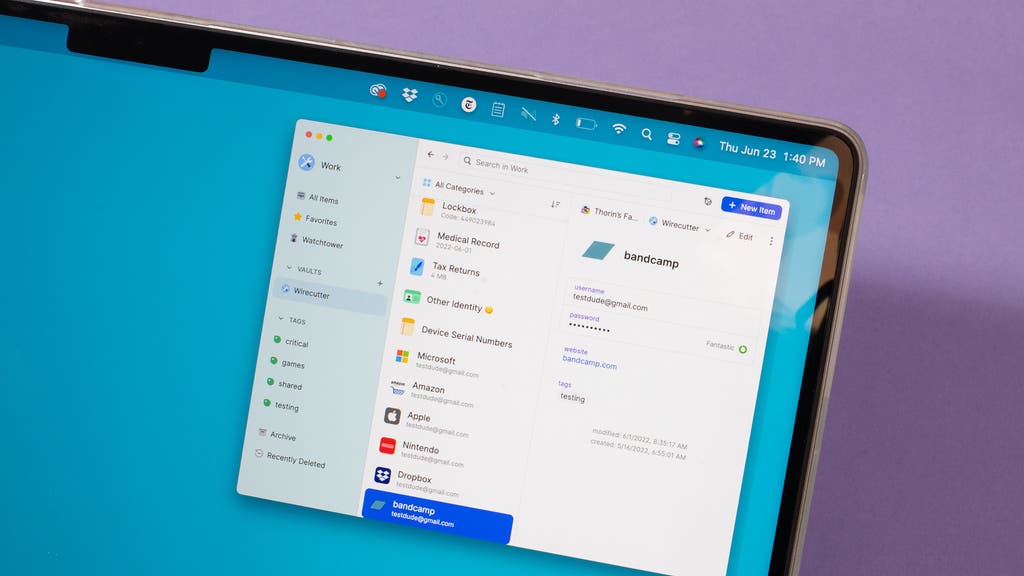
Managing multiple online accounts can be overwhelming, especially for families. From streaming services and banking apps to school portals and shopping accounts, remembering complex passwords for everyone can quickly become unmanageable. This is where password managers come in, providing a secure, centralized solution to store, generate, and autofill passwords across devices.
This guide explores the best password managers for families, key features to consider, and tips for keeping your family’s digital life safe and organized.
Why Families Need a Password Manager
Families face unique challenges when it comes to online security:
- Multiple Users: Parents, teens, and younger children may each have separate accounts.
- Password Reuse: Without a manager, people often reuse weak passwords across multiple platforms.
- Security Risks: Weak or shared passwords make accounts vulnerable to hacking.
- Convenience: Password managers store login information, making account access faster and easier.
By using a reliable password manager, families can ensure all members have strong, unique passwords while avoiding the frustration of forgotten credentials.
Key Features to Look for
When choosing a password manager for families, prioritize these features:
- Family Sharing Plan: Allows multiple members to share passwords securely.
- Cross-Platform Compatibility: Works on Windows, macOS, iOS, Android, and browsers.
- Password Generator: Creates strong, unique passwords automatically.
- Secure Encryption: AES-256 bit encryption is industry-standard for safety.
- Autofill Capabilities: Automatically fills login forms on websites and apps.
- Emergency Access: Lets trusted family members access accounts in emergencies.
- Two-Factor Authentication (2FA) Support: Adds an extra layer of security.
Top Password Managers for Families
1. LastPass Families
- Plan: Up to 6 users
- Features: Shared vaults, password generator, dark web monitoring
- Why It’s Great: Easy setup and family-friendly sharing options
2. 1Password Families
- Plan: Up to 5–10 users
- Features: Shared vaults, travel mode, two-factor authentication
- Why It’s Great: Highly secure with intuitive family management tools
3. Dashlane Family Plan
- Plan: Up to 6 users
- Features: Dark web monitoring, password changer, VPN for Wi-Fi
- Why It’s Great: Extra security features for online privacy, not just password storage
4. Bitwarden Families
- Plan: Unlimited users
- Features: Open-source, shared vaults, end-to-end encryption
- Why It’s Great: Affordable, transparent, and highly secure option for families
5. Keeper Family Plan
- Plan: Up to 5 users (expandable)
- Features: Password manager, secure file storage, breach monitoring
- Why It’s Great: Combines password management with encrypted file storage
Password Manager Comparison Table
| Password Manager | Family Plan | Key Features | Platforms |
|---|---|---|---|
| LastPass Families | 6 users | Shared vaults, dark web monitoring | Windows, Mac, iOS, Android |
| 1Password Families | 5–10 users | Travel mode, 2FA, shared vaults | Windows, Mac, iOS, Android |
| Dashlane Family | 6 users | VPN, dark web monitoring, password changer | Windows, Mac, iOS, Android |
| Bitwarden Families | Unlimited | Open-source, end-to-end encryption | Windows, Mac, Linux, iOS, Android |
| Keeper Family | 5+ users | Secure file storage, breach alerts | Windows, Mac, iOS, Android |
Tips for Using a Family Password Manager
- Create Unique Master Passwords: Each family member should have a strong, unique master password.
- Enable Two-Factor Authentication: Protects accounts even if a password is compromised.
- Organize Shared Vaults: Keep shared passwords in one vault and personal passwords in individual vaults.
- Regularly Update Passwords: Change weak or reused passwords regularly.
- Educate Family Members: Teach children about online safety and the importance of strong passwords.
Frequently Asked Questions (FAQs)
Q: Can children use password managers safely?
Yes, most family plans allow children to have accounts with limited access to shared vaults, ensuring security without overwhelming them.
Q: Are free password managers enough for families?
Free plans often have limitations like a single device or fewer users. Paid family plans offer more sharing and security features.
Q: Can password managers store other sensitive information?
Many managers allow storage of credit cards, IDs, and secure notes for added convenience.
Q: How secure are password managers?
Top password managers use strong encryption (AES-256) and zero-knowledge architecture, meaning even the provider cannot see your passwords.
Q: Can I use one password manager across PCs and mobile devices?
Yes, choose a manager that is cross-platform compatible to sync passwords across Windows, Mac, iOS, and Android. This is similar to evaluating Laptop vs Desktop for Video Editing Performance, where compatibility and efficiency across systems are key.
Final Thoughts
A password manager for families simplifies online account management, enhances security, and ensures everyone uses strong, unique passwords. By selecting a service with family sharing, cross-platform support, and advanced security features, your household can navigate the digital world safely and conveniently.


